 |
BioLib
4.1.1
A GUI-less version of Bio .NET library for editing & annotating various microscopy image formats.
|
|
BioLib
4.1.1
A GUI-less version of Bio .NET library for editing & annotating various microscopy image formats.
|
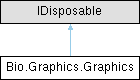
Public Member Functions | |
| void | DrawLine (int x, int y, int x2, int y2) |
| void | DrawLine (PointF p, PointF p2) |
| void | FillRectangle (Rectangle r, ColorS col) |
| void | FillRectangle (RectangleF r, ColorS col) |
| void | DrawRectangle (Rectangle r) |
| void | DrawRectangle (RectangleF r) |
| void | DrawEllipse (Rectangle r) |
| void | DrawEllipse (RectangleF r) |
| void | FillEllipse (float xx, float yy, int w, int h, ColorS c) |
| void | FillEllipse (RectangleF r, ColorS c) |
| void | FillEllipse (Rectangle r, ColorS c) |
| void | FillPolygon (PointF[] pfs, Rectangle r) |
| void | FillPolygon (PointF[] pfs, RectangleF r) |
| bool | PointInPolygon (int x, int y) |
| void | FillPolygon (PointF[] pfs, Rectangle r, ColorS c) |
| void | FillPolygon (PointF[] pfs, RectangleF r, ColorS c) |
| void | DrawScanline (int x, int x2, int line, ColorS col) |
| void | Dispose () |
| The Dispose() function is used to release the resources used by the object. | |
Static Public Member Functions | |
| static Graphics | FromImage (Bitmap b) |
Public Attributes | |
| Bitmap | buf |
| Pen | pen |
| void Bio.Graphics.Graphics.Dispose | ( | ) |
The Dispose() function is used to release the resources used by the object.
| void Bio.Graphics.Graphics.DrawEllipse | ( | Rectangle | r | ) |
For every angle from 0 to 360, draw a point at the angle's cosine and sine, multiplied by the radius, plus the radius, plus the center point
| Rectangle | The rectangle that the ellipse will be drawn in. |
| void Bio.Graphics.Graphics.DrawEllipse | ( | RectangleF | r | ) |
If you pass a RectangleF to DrawEllipse, it will convert it to a Rectangle and then call DrawEllipse(Rectangle)
| RectangleF | A rectangle with floating point coordinates. |
| void Bio.Graphics.Graphics.DrawLine | ( | int | x, |
| int | y, | ||
| int | x2, | ||
| int | y2 ) |
Draw a line from (x,y) to (x2,y2) by drawing a series of ellipses with the same width and height as the pen width
| x | The x coordinate of the first point. |
| y | The y coordinate of the first point. |
| x2 | The x coordinate of the end point of the line. |
| y2 | The y coordinate of the second point. |
| void Bio.Graphics.Graphics.DrawLine | ( | PointF | p, |
| PointF | p2 ) |
DrawLine(PointF p, PointF p2) is a function that takes two points and draws a line between them
| PointF | A structure that defines a point in a two-dimensional plane. |
| PointF | A structure that defines a point in a two-dimensional plane. |
| void Bio.Graphics.Graphics.DrawRectangle | ( | Rectangle | r | ) |
For each pixel in the rectangle, draw a line of pixels of the same color
| Rectangle | The rectangle to draw |
| void Bio.Graphics.Graphics.DrawRectangle | ( | RectangleF | r | ) |
"Draw a rectangle with the top left corner at (x,y) and the bottom right corner at (x+width,y+height)."
The function is called with a RectangleF object, which is a rectangle with floating point coordinates. The function converts the floating point coordinates to integers and then calls the DrawRectangle function that takes integer coordinates
| RectangleF | A rectangle with float coordinates. |
| void Bio.Graphics.Graphics.DrawScanline | ( | int | x, |
| int | x2, | ||
| int | line, | ||
| ColorS | col ) |
DrawScanline(int x, int x2, int line, ColorS col)
This function draws a scanline from x to x2 on the y line
| x | The starting x position of the scanline |
| x2 | The end of the scanline |
| line | The line to draw the scanline on |
| ColorS | A struct that contains the RGB values of a color. |
| void Bio.Graphics.Graphics.FillEllipse | ( | float | xx, |
| float | yy, | ||
| int | w, | ||
| int | h, | ||
| ColorS | c ) |
It draws an ellipse by drawing a bunch of horizontal lines
| xx | x position of the ellipse |
| yy | y position of the ellipse |
| w | width of the ellipse |
| h | height of the ellipse |
| ColorS | A struct that contains the color information. |
| void Bio.Graphics.Graphics.FillEllipse | ( | Rectangle | r, |
| ColorS | c ) |
Draws a filled ellipse with the specified color
| Rectangle | The rectangle to draw the ellipse in. |
| ColorS | A struct that contains the color information. |
| void Bio.Graphics.Graphics.FillEllipse | ( | RectangleF | r, |
| ColorS | c ) |
This function takes a rectangle and a color and draws an ellipse inside the rectangle
| RectangleF | A rectangle with float values |
| ColorS | A struct that contains a byte for each color channel (R, G, B, A) |
| void Bio.Graphics.Graphics.FillPolygon | ( | PointF[] | pfs, |
| Rectangle | r ) |
We draw the polygon onto a new bitmap, then we find a point inside the polygon and flood fill it, then we draw the flood filled bitmap onto the original bitmap
| pfs | The points of the polygon |
| Rectangle | The rectangle that contains the polygon. |
| void Bio.Graphics.Graphics.FillPolygon | ( | PointF[] | pfs, |
| Rectangle | r, | ||
| ColorS | c ) |
This function takes an array of points, a rectangle, and a color, and fills the polygon with the color
| pfs | An array of points that make up the polygon |
| Rectangle | The rectangle that the polygon is in. |
| ColorS | A struct that contains a color. |
| void Bio.Graphics.Graphics.FillPolygon | ( | PointF[] | pfs, |
| RectangleF | r ) |
This function takes a list of points and a rectangle and fills the polygon defined by the points with the rectangle
| pfs | An array of PointF structures that represent the vertices of the polygon to fill. |
| RectangleF | A rectangle with float coordinates. |
| void Bio.Graphics.Graphics.FillPolygon | ( | PointF[] | pfs, |
| RectangleF | r, | ||
| ColorS | c ) |
This function takes an array of points, a rectangle, and a color, and fills the polygon with the color
| pfs | An array of points that make up the polygon |
| RectangleF | The rectangle that the polygon is in. |
| ColorS | A struct that contains a color. |
| void Bio.Graphics.Graphics.FillRectangle | ( | Rectangle | r, |
| ColorS | col ) |
For every pixel in the rectangle, set the pixel to the color
| Rectangle | The rectangle to fill |
| ColorS | A struct that contains the RGB values of a color. |
| void Bio.Graphics.Graphics.FillRectangle | ( | RectangleF | r, |
| ColorS | col ) |
This function takes a rectangle and a color and fills the rectangle with the color
| RectangleF | A rectangle with float values |
| ColorS | A struct that contains a byte for each color channel (R, G, B, A) |
|
static |
It creates a new Graphics object, sets the buffer to the bitmap passed in, and sets the pen to a white pen with a width of 1 and a color depth of the bitmap's color depth
| Bitmap | The bitmap to draw on |
| bool Bio.Graphics.Graphics.PointInPolygon | ( | int | x, |
| int | y ) |
If the point is on the left side of the line, then the point is inside the polygon
| x | The x coordinate of the point to test. |
| y | The y coordinate of the point to test. |
 1.12.0