BioImager  3.9.1
A .NET microscopy imaging library. Supports various microscopes by using imported libraries & GUI automation. Supported libraries include PriorĀ® & ZeissĀ® & all devices supported by Micromanager 2.0 and python-microscope.
Loading...
Searching...
No Matches
BioImager.Scripting Class Reference
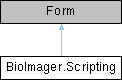
Inheritance diagram for BioImager.Scripting:

Classes

class  Script
 
class  State
 

Public Types

enum  Event
 
enum  ScriptType
 

Public Member Functions

void RefreshItems ()
 It reads all the files in the Scripts and Tools folders and adds them to a listview. More...
 
void RefreshStatus ()
 It updates the status of the script and the log. More...
 
void RunScriptFile (string file)
 
void Run ()
 
void Stop ()
 

Static Public Member Functions

static void LogLine (string s)
 
static State GetState ()
 
static void UpdateState (State s)
 
static void RunScript (string file)
 
static void RunScript (Script sc)
 
static void RunString (string st)
 
static void RunByName (string name)
 

Public Attributes

CodeView view = null
 

Static Public Attributes

static string log
 
static string ImageJPath = Properties.Settings.Default.ImageJPath
 
static Dictionary< string, ScriptScripts = new Dictionary<string, Script>()
 

Protected Member Functions

override void Dispose (bool disposing)
 Clean up any resources being used. More...
 

Detailed Description

Definition at line 5 of file Scripting.cs.

Member Enumeration Documentation

◆ Event

enum BioImager.Scripting.Event

Definition at line 232 of file Scripting.cs.

233 {
234 Down,
235 Up,
236 Move,
237 None
238 }

◆ ScriptType

enum BioImager.Scripting.ScriptType

Definition at line 239 of file Scripting.cs.

240 {
241 tool,
242 script,
243 imagej
244 }

Constructor & Destructor Documentation

◆ Scripting()

BioImager.Scripting.Scripting ( )

Definition at line 351 of file Scripting.cs.

352 {
353 if (!Directory.Exists(Application.StartupPath + "//" + "Scripts"))
354 Directory.CreateDirectory(Application.StartupPath + "//" + "Scripts");
355 if (!Directory.Exists(Application.StartupPath + "//" + "Tools"))
356 Directory.CreateDirectory(Application.StartupPath + "//" + "Tools");
357 InitializeComponent();
358 scriptView.MultiSelect = false;
359 RefreshItems();
360 timer.Start();
361 codeview = new CodeView();
362 codeview.Dock = DockStyle.Fill;
363 scriptLabel.Text = "NewScript.cs";
364 //splitContainer.Dock = DockStyle.Fill;
365 textBox = codeview.TextBox;
366 splitContainer.Panel1.Controls.Add(codeview);
367 }
void RefreshItems()
It reads all the files in the Scripts and Tools folders and adds them to a listview.
Definition: Scripting.cs:275

Member Function Documentation

◆ Dispose()

override void BioImager.Scripting.Dispose ( bool  disposing)
protected

Clean up any resources being used.

Parameters
disposingtrue if managed resources should be disposed; otherwise, false.

Definition at line 14 of file Scripting.Designer.cs.

15 {
16 if (disposing && (components != null))
17 {
18 components.Dispose();
19 }
20 base.Dispose(disposing);
21 }

◆ GetState()

static State BioImager.Scripting.GetState ( )
static

It returns the state of the game.

Returns
The state of the game.

Definition at line 249 of file Scripting.cs.

250 {
251 return state;
252 }

◆ LogLine()

static void BioImager.Scripting.LogLine ( string  s)
static

Definition at line 11 of file Scripting.cs.

12 {
13 log += s + Environment.NewLine;
14 }

◆ RefreshItems()

void BioImager.Scripting.RefreshItems ( )

It reads all the files in the Scripts and Tools folders and adds them to a listview.

Definition at line 275 of file Scripting.cs.

276 {
277 Scripts.Clear();
278 string st = Application.StartupPath;
279 foreach (string file in Directory.GetFiles(st + "/Scripts"))
280 {
281 if (!Scripts.ContainsKey(Path.GetFileName(file)))
282 {
283 //This is a script file.
284 Script sc = new Script(file, File.ReadAllText(file));
285 ListViewItem lv = new ListViewItem();
286 lv.Tag = sc;
287 lv.Text = sc.ToString();
288 scriptView.Items.Add(lv);
289 Scripts.Add(lv.Text, sc);
290 }
291 }
292 foreach (string file in Directory.GetFiles(st + "/Tools"))
293 {
294 if (file.EndsWith(".cs"))
295 {
296 if (!Scripts.ContainsKey(Path.GetFileName(file)))
297 {
298 //This is a script file.
299 Script sc = new Script(file, File.ReadAllText(file));
300 sc.type = ScriptType.tool;
301 ListViewItem lv = new ListViewItem();
302 lv.Tag = sc;
303 lv.Text = sc.ToString();
304 scriptView.Items.Add(lv);
305 Scripts.Add(lv.Text, sc);
306 }
307 }
308 }
309 }

References BioImager.Scripting.Script.ToString().

Referenced by BioImager.Scripting.RunScriptFile().

◆ RefreshStatus()

void BioImager.Scripting.RefreshStatus ( )

It updates the status of the script and the log.

Definition at line 311 of file Scripting.cs.

312 {
313 errorView.Clear();
314 foreach (ListViewItem item in scriptView.SelectedItems)
315 {
316 Script s = (Script)item.Tag;
317 //We update item text to show Script status.
318 item.Text = s.ToString();
319 outputBox.Text = s.output;
320 if (s.ex != null)
321 {
322 string[] sps = s.ex.Message.Split('>');
323 //ListViewItem it = new ListViewItem(s.ex.ToString());
324 for (int i = 1; i < sps.Length; i++)
325 {
326 ListViewItem er = new ListViewItem(sps[i]);
327 er.Tag = s.ex;
328 errorView.Items.Add(er);
329 }
330
331 }
332 }
333 foreach (ListViewItem item in scriptView.SelectedItems)
334 {
335 Script s = (Script)item.Tag;
336 //We update item text to show Script status.
337 item.Text = s.ToString();
338 }
339 logBox.Text = log;
340 //We scroll to end of text so we see latest log output.
341 if (logBox.SelectionStart != logBox.Text.Length)
342 {
343 logBox.SelectionStart = logBox.Text.Length;
344 logBox.ScrollToCaret();
345 }
346 }

References BioImager.Scripting.Script.ToString().

◆ Run()

void BioImager.Scripting.Run ( )

It runs the script that is selected in the listview

Returns
The output of the script.

Definition at line 403 of file Scripting.cs.

404 {
405 log = "";
406 outputBox.Text = "";
407 logBox.Text = "";
408 if (scriptView.SelectedItems.Count == 0)
409 return;
410 foreach (ListViewItem item in scriptView.SelectedItems)
411 {
412 //We run this script
413 Script sc = (Script)item.Tag;
414 sc.scriptString = textBox.Text;
415 sc.output = "";
416 sc.Run();
417 outputBox.Text = sc.output;
418 logBox.Text = log;
419 }
420 }

References BioImager.Scripting.Script.Run().

◆ RunByName()

static void BioImager.Scripting.RunByName ( string  name)
static

RunByName(string name)

Parameters
nameThe name of the script.

Definition at line 438 of file Scripting.cs.

439 {
440 Scripts[name].Run();
441 }

Referenced by BioImager.Scripting.RunScript(), and BioImager.Scripting.RunScriptFile().

◆ RunScript() [1/2]

static void BioImager.Scripting.RunScript ( Script  sc)
static

Definition at line 387 of file Scripting.cs.

388 {
389 if(!Scripts.ContainsKey(sc.name))
390 Scripts.Add(sc.name, sc);
391 RunByName(sc.name);
392 }
static void RunByName(string name)
Definition: Scripting.cs:438

◆ RunScript() [2/2]

static void BioImager.Scripting.RunScript ( string  file)
static

It creates a new script object, adds it to the dictionary, and then runs it

Parameters
fileThe file path to the script.

Definition at line 381 of file Scripting.cs.

382 {
383 Script sc = new Script(file);
384 Scripts.Add(sc.name, sc);
385 RunByName(sc.name);
386 }

References BioImager.Scripting.RunByName().

Referenced by BioImager.Imager.PerformFunction().

◆ RunScriptFile()

void BioImager.Scripting.RunScriptFile ( string  file)

It runs a script file

Parameters
fileThe file path of the script to run.

Definition at line 371 of file Scripting.cs.

372 {
373 Script sc = new Script(file);
374 Scripts.Add(sc.name, sc);
375 RefreshItems();
376 RunByName(sc.name);
377 }

References BioImager.Scripting.RefreshItems(), and BioImager.Scripting.RunByName().

◆ RunString()

static void BioImager.Scripting.RunString ( string  st)
static

It runs a string as a Lua script

Parameters
stThe string to run.

Definition at line 396 of file Scripting.cs.

397 {
398 Script.RunString(st);
399 }

References BioImager.Scripting.Script.RunString().

Referenced by BioImager.Function.PerformFunction().

◆ Stop()

void BioImager.Scripting.Stop ( )

We stop the script

Returns
The script is being returned.

Definition at line 424 of file Scripting.cs.

425 {
426 if (scriptView.SelectedItems.Count == 0)
427 return;
428 foreach (ListViewItem item in scriptView.SelectedItems)
429 {
430 //We run this script
431 Script sc = (Script)item.Tag;
432 sc.Stop();
433 }
434 }

References BioImager.Scripting.Script.Stop().

◆ UpdateState()

static void BioImager.Scripting.UpdateState ( State  s)
static

If the state is null, return. If the state is not null, set the state to the new state. If the state is not null and the new state is the same as the old state, set the processed flag to true

Parameters
StateThis is the state of the game. It contains the position of the player, the type of the player, and whether the state has been processed or not.
Returns
The state of the current object.

Definition at line 261 of file Scripting.cs.

262 {
263 if (s == null)
264 return;
265 if (state == null)
266 state = s;
267 if (s.p.X == state.p.X && s.p.Y == state.p.Y && s.type == state.type)
268 {
269 state.processed = true;
270 }
271 else
272 state = s;
273 }

Referenced by BioImager.Tools.ToolDown(), and BioImager.Tools.ToolUp().

Member Data Documentation

◆ ImageJPath

string BioImager.Scripting.ImageJPath = Properties.Settings.Default.ImageJPath
static

Definition at line 9 of file Scripting.cs.

◆ log

string BioImager.Scripting.log
static

Definition at line 7 of file Scripting.cs.

◆ Scripts

Dictionary<string, Script> BioImager.Scripting.Scripts = new Dictionary<string, Script>()
static

Definition at line 15 of file Scripting.cs.

◆ view

CodeView BioImager.Scripting.view = null

Definition at line 8 of file Scripting.cs.


The documentation for this class was generated from the following files: